Mogi › Puzzle games › Minesweeper
Minesweeper Online: how to play
Minesweeper with no guessing. Every board is checked by a solver before you play, so each mine can be found by logic alone. Bruno sniffs out the mines across five daily boards.
How to play
- Click or tap a square to dig. A number tells you how many mines touch that square.
- Flag a mine with right-click, a long press, or the FLAG button.
- Click a number whose mines are all flagged to clear the squares around it in one go.
- Digging a mine costs one of three hearts, and the board carries on.
- Keyboard: arrows to move, Enter to dig, F to flag.
The five levels
- Neon City: a 10×6 warm-up
- Rooftops: 12×7: start flagging
- Sewer: 14×8: clear around numbers
- Robot Factory: 16×9: fast clears score more
- Glitch Zone: 16×9 with more mines
Clear the Glitch Zone and the zones loop again on the same five board sizes, with two more mines each lap. You have three hearts for the whole run, and the game is the same for everyone each day, so you can compare scores. Press M to turn the sound off or on.
Tips
- Start from the open area: its edges hold the easiest clues.
- A 1 touching only one hidden square means that square is a mine.
- Finish each board fast for a speed bonus.
Questions
Do I ever have to guess?
No. Every board is checked by a logic solver before you play, so there is always a safe move you can prove.
Is Minesweeper online free?
Yes. It's free in your browser on phones and computers.
Are the boards the same for everyone?
Yes. Everyone gets the same five boards each day.
How do I flag a mine on a phone?
Long-press the square, or switch on the FLAG button and tap.
More games like Minesweeper
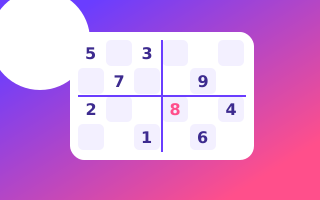 SudokuFive daily grids, from a 4×4 warm-up to a tough 9×9.
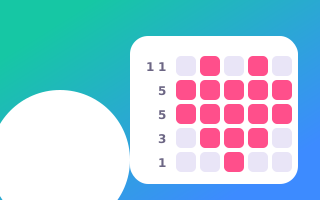 Pixel DailyA daily picture logic puzzle. Fill the grid, reveal the picture.
 Mogi's CircuitTurn the pieces until the power flows.
 Night HeistSneak past the guards. Every move moves the world.
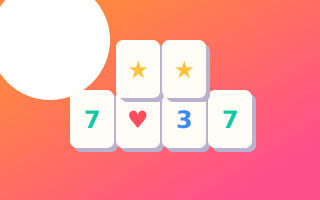 Mahjong SolitaireMatch free tiles to clear five daily tables.
 Word SearchFive themed grids a day. Across, down, backwards, diagonal.
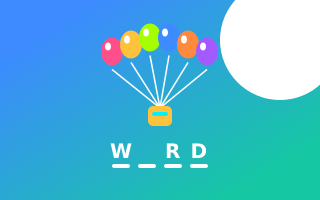 Word RescueHangman with balloons, no gallows. Every wrong letter pops one.
 Memory MatchTurn two tiles, find the pairs, beat the clock. Watch for look-alikes.
 Mogi DiceRoll five dice, keep the best, fill the card. Five of a kind is MOGI!
 Killer SudokuSudoku with cages that add up. Five daily grids, 4×4 to 9×9.
 Mogi MergeSlide, merge, grab Mogi's batteries. How big can you go?
 JigsawA new night-city picture every day, 12 to 42 pieces. Beat the clock.
More puzzle games · All Mogi games