Word Connect: how to play
Word Connect is a free word connect game you play online. Lexi, a bookworm caterpillar in big round glasses, gives you a wheel of letters: swipe across them to join them into words, and every word you find drops into a small crossword. Fill the whole crossword to finish the board. Other real words you can make from the wheel count as bonus words. There are new boards every day, the same for everyone, and five friendly places to visit, from a sunny meadow garden to an observatory under the stars.
How to play
- Swipe across the letters on the wheel to join them into a word, then let go to check it. Slide back to the letter before to undo the last one. You can also tap letters one by one and tap the last letter again to check.
- On a computer, just type the letters and press Enter to check, Backspace to undo a letter, Space to shuffle and ? for a hint. Every letter types, so press Esc (or the SOUND button) to turn the sound off or on.
- Words have three letters or more and use each letter on the wheel once. A word from the crossword fills its squares; any other real word from the wheel is a bonus word, and every third bonus word earns a free hint.
- Each board has its own clock. A word that isn't a real word takes 3 seconds off it. If the clock runs out you lose one of your three hearts: Lexi fills in a word for you and the clock refills by half.
- Stuck? Shuffle turns the letters round the wheel so new words jump out. Hint shows one hidden letter: it uses a free hint if you have one (you start with one), or 10 seconds of the clock.
- Points: 10 per letter times your streak of good words in a row (up to ×5), 15 per letter for a bonus word, 50 for each gold star square, and a board bonus of 100 times the level plus 2 for each second left. Three stars per level: clear it, keep all your hearts, and beat the target time.
The five levels
- Meadow Garden: four letters on the wheel and three short words per board
- Library Nook: five letters, and the other real words you find count as bonus words
- Treehouse: six letters and five words per board: shuffle the wheel to spot new words
- Seaside Pier: gold star squares: fill one with a word you find (not a hint) for 50 extra points
- Observatory: seven letters, six words per board, and one word uses every letter on the wheel
Clear the Observatory and the five places come round again with new boards and a shorter clock: 20% less time on lap 2 and 36% less from lap 3 on. You have three hearts for the whole run, and the game is the same for everyone each day, so you can compare scores. Press Esc to turn the sound off or on.
Tips
- Start with the short words: their letters show up in the longer words that cross them.
- Look at the crossword: a word's length and the letters already showing tell you what to look for.
- Try common endings like -ER, -ED and -S, and words hidden inside the longest word.
- Save your free hints for the last word of a board, when the clock is running low.
Questions
Is Word Connect free?
Yes. Word Connect is a free word connect game you play online in your browser: no download, no sign-up and nothing to buy.
Can I play this word connect game on my phone?
Yes. Swipe across the letters with your finger, or tap them one by one. On an upright phone the crossword sits on top and the wheel below it. It works on phones, tablets and computers.
What are bonus words?
Bonus words are real words you can make from the wheel that are not in the crossword. Each one scores extra points, and every third bonus word gives you a free hint.
Is there a new word connect puzzle every day?
Yes. The boards change every day and are the same for everyone, so you can compare scores with friends. Every word is a friendly everyday word, and every board can be solved from its letters.
Similar games
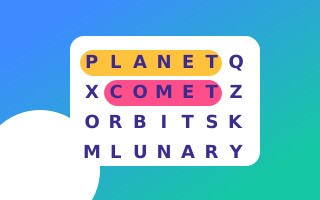 Word SearchFive themed grids a day. Across, down, backwards, diagonal.
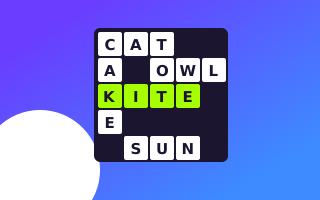 Mini CrosswordSmall daily grids, 5×5 to 7×7, with clues written for Mogi.
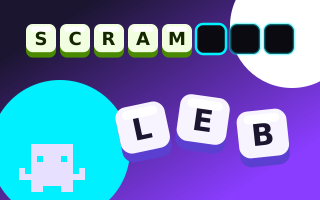 Word ScrambleUnjumble the letters to find the word. Shuffle, take a hint, beat the clock.
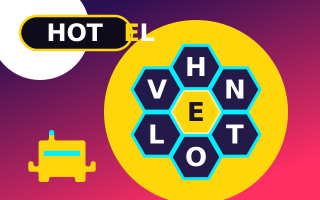 Letter HiveMake words from seven letters in a honeycomb. Always use the centre letter.
 Pixel DailyA daily picture logic puzzle. Fill the grid, reveal the picture.
 MinesweeperClear the field without touching a mine. No guessing ever needed.
 SudokuFive daily grids, from a 4×4 warm-up to a tough 9×9.
 Mahjong SolitaireMatch free tiles to clear five daily tables.
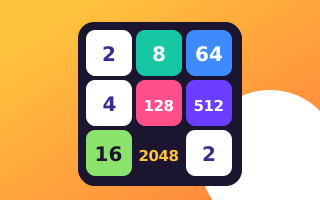 Mogi MergeSlide, merge, grab Mogi's batteries. How big can you go?
 Mogi's CircuitTurn the pieces until the power flows.
 Night HeistSneak past the guards. Every move moves the world.
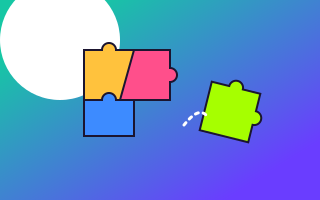 JigsawA new night-city picture every day, 12 to 42 pieces. Beat the clock.
More puzzle games · All Mogi games · Privacy · Cookie settings